3 Easy Ways to Protect Your Privacy and Data When Using Public Wi-Fi
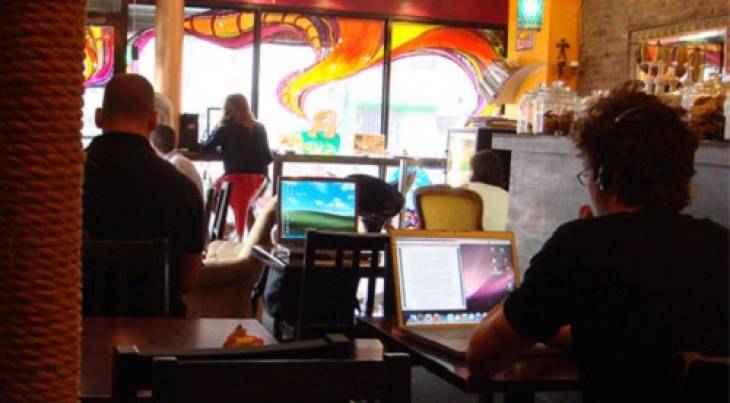
Who doesn't love to hop on to the "Free Wi-Fi" at a favorite coffee shop to browse the internet, finish some work, check our social networks and maybe take a quick peek at our bank balance while enjoying our latte?
People have become so accustomed to having internet access that we don't hesitate to connect our devices to the free Wi-Fi hotspot around us like at hotels, airports, co-working spaces and shopping malls.The first thing we do when we wander into a shopping mall, hotel lobby or the airport is to flip our Wi-Fi on and try to find a free hotspot rather than using our own data plan. Some of us even go out searching for free Wi-Fi access points when traveling abroad, which can leave private information like passport details and credit card numbers visible to strangers at the hotspots.
While most WiFi hotspots have security set, some don’t. And using a network without security is a risk you'd be better not taking. If you don’t protect your privacy, somebody could pray on you or your clients’ information and easily pick up your passwords and data to use for cyber crimes. If, in particular, you use the same password on multiple sites, that could lead to an even bigger problem. This is why you need to take precautions to protect your privacy when using public hotspots.
Protect Your Privacy When Using Public Hotspot.
To protect your privacy when using a public network, use these three basic steps that will keep your data away from prying eyes:
1. Select networks that use secured encryption.
Select a public network that uses some form of encryption. You can tell which networks are secured in Windows 7 by left-clicking on the wireless network connections icon. Hovering the mouse over each SSID will display the security type. Avoid those networks with the security type, "Unsecured." In Windows 10, click or tap on the network icon from the system tray and connect to secured network SSIDs that are displayed with the words "Secured." Turn off automatic Wi-Fi connections so that you can check and choose the safest network within range each time before your device connects to it.
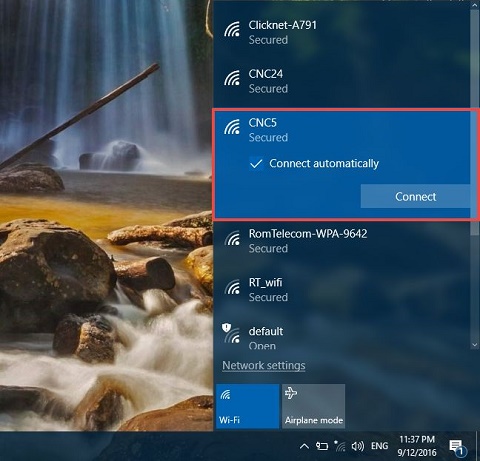
Windows 10 Secured connection.
You may find some establishments like hotels secure their networks using different technologies. In order of preference, choose networks secured with WPA2 encryption, then WPA. WEP is a better-than-nothing last resort.
2. Set Network Location to "Public."
When you connect to a network for the first time in Windows 10, the network location is automatically set to “Public.” Earlier versions of Windows operating systems like Windows 7 provided the option to set a new network connection to be either “Public” or “Private.” In Windows 7, soon after you connect to a new network, the "Set Network Location" window pops-up automatically. Set the location to "Public Network" when prompted. This is the safest option if you are connecting to a public hotspot as it will keep your computer invisible on the network.
The “Public” Network location blocks file and printer sharing, which are common routes for data snoopers. “Home Group” is not available with this option selected, and network discovery is turned off, too. All of these measures make your data less visible on a wireless network. If, however, you are connecting to a private network such as your home network you might want to share music, pictures, videos, or even printers with other devices on that network. In such situations, you can change the network location to “Private” to make your computer discoverable to other computers.
3. Use a VPN service.
A virtual private network (VPN) is a cloud-based service that takes all your outgoing and incoming traffic and runs it through an SSH tunnel, which means between you and the VPN provider everything is encrypted — even any possible HTTP communication. Once your VPN provider is reached, requests continue the usual way (maybe via HTTP or HTTPS). But the important thing is that nobody at the public WIFI can listen to your traffic.
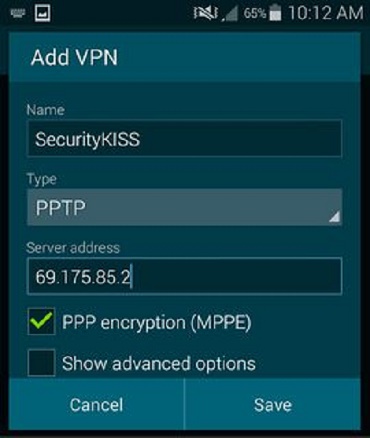
Android VPN settings.
Your VPN provider stands at the end of the tunnel and potentially could record all of your communication so you need to trust the provider before you use them. Exercise due diligence and read and research providers carefully to pick one you can trust. Read blogs of vendors, go to security forums. Look for cases where vendors stand up for user privacy. If your provider is only known for letting you change outgoing server just to appear to be from another country, that provider is probably not a good option for you.
A vendor you can try is SecurityKISS that offers ad-free VPN access with data limited to 300MB/day. That's plenty of scope for checking email, looking at maps and other casual Wi-Fi uses. Another VPN you can try is Freedome by F-Secure. With a secured network and a working VPN setup, you are already in a great spot.
See Also: The Different Types of People You See at Coffee Shops (Infographic).